Moderate or Manage Visibility Restrictions for Discussions
In Brightspace, instructors can moderate discussions by reviewing and approving posts before they’re visible to the class, which helps maintain a constructive and safe learning environment. You can also manage visibility restrictions, controlling who sees a discussion and when submissions are permitted, allowing you to tailor access based on specific dates.
Options for Visibility Restrictions
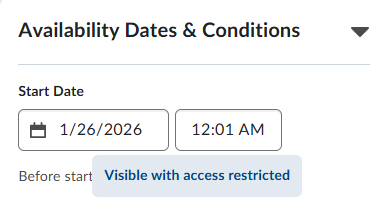
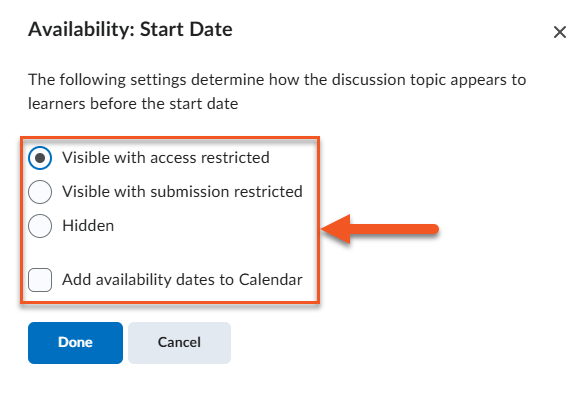
- Visible with access restricted (default): Students can see the discussion title and description, but cannot enter the topic or view any posts or replies.
- Visible with submission restricted: Students can enter the discussion and read existing threads and replies, but cannot create new posts or respond.
- Hidden: Students cannot see the discussion at all — this includes the title, description, and any existing threads or replies.
- Calendar visibility: You can add start and/or end dates to the NIC Brightspace calendar, making these availability windows visible to students.
How to Moderate a Discussion Topic
You might want to moderate a discussion to ensure that posts are appropriate and relevant before other students see them, for example, an instructor might review initial responses to a sensitive case study to make sure the conversation stays respectful and on topic.