Grades Tool Overview
The Grades tool is a powerful feature that allows you to manage and assess student progress throughout the course. With the Grades tool, you can create and manage grade items, set up grade schemes and assign grades to individual students or groups.
The tool also enables instructors to view and export grade reports, monitor student progress and provide feedback on student work. Additionally, the Grades tool integrates with three of the four assessment types available in Brightspace: Assignments, Quizzes and Discussions. This makes it easy to grade within the tool and have the grades automatically pushed through to the gradebook.
Open the accordions below to learn more about the four grading views in Brightspace and available grade NIC grade schemes.
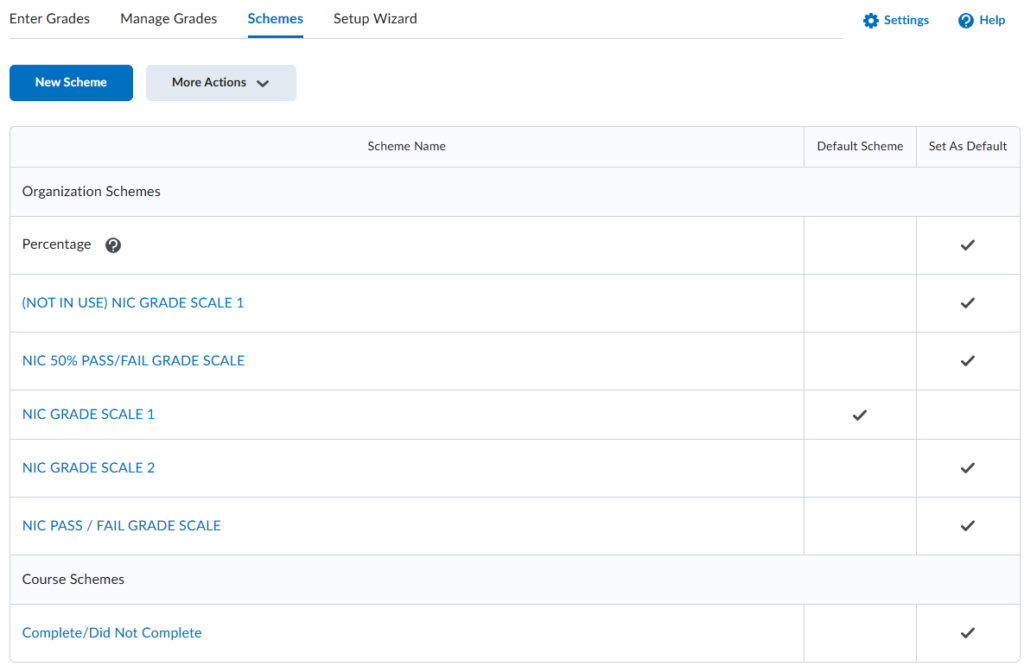
There are four grading views, which include the Enter Grades, Manage Grades, Grading Schemes, and Setup Wizard, each supporting a different part of creating, calculating, and viewing grades in your course.
- Enter Grades: This is the default view when you click on Grades, and displays the gradebook in a spreadsheet-style layout, allowing you to input, edit, and review students’ scores for each grade item directly within the course.
- Manage Grades: This view displays all grade items and categories in the course and is where you build your gradebook by creating, organizing, and configuring grade items and categories.
Watch the video below to learn more about the Manage Grades view.
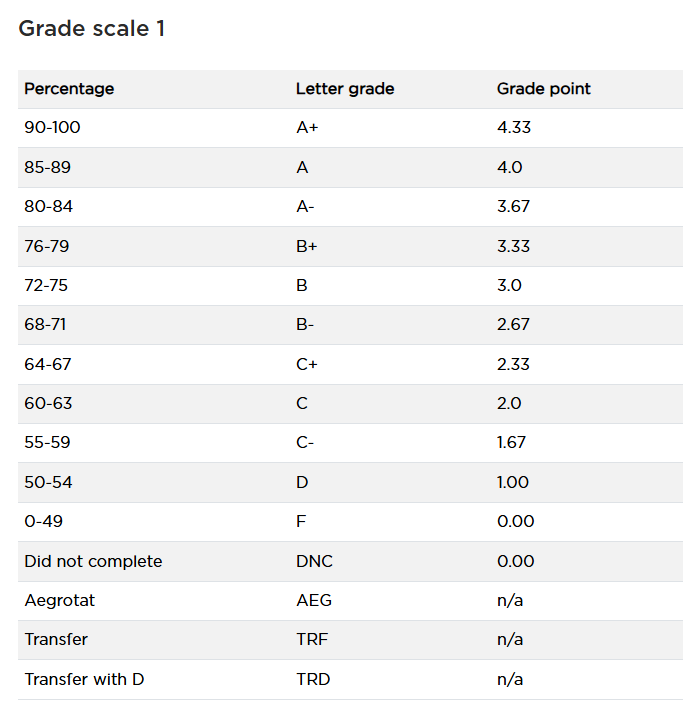
- Grading Schemes: This area is where you view or apply grade schemes to your course; most courses at NIC use Grade Scale 1. Please refer to the accordion below for more information about NIC grade schemes.
- Setup Wizard: This is where you establish the overall gradebook settings for your course, including the grading system, calculation options, and display preferences that apply across all grade items. See Gradebook Setup for more information.
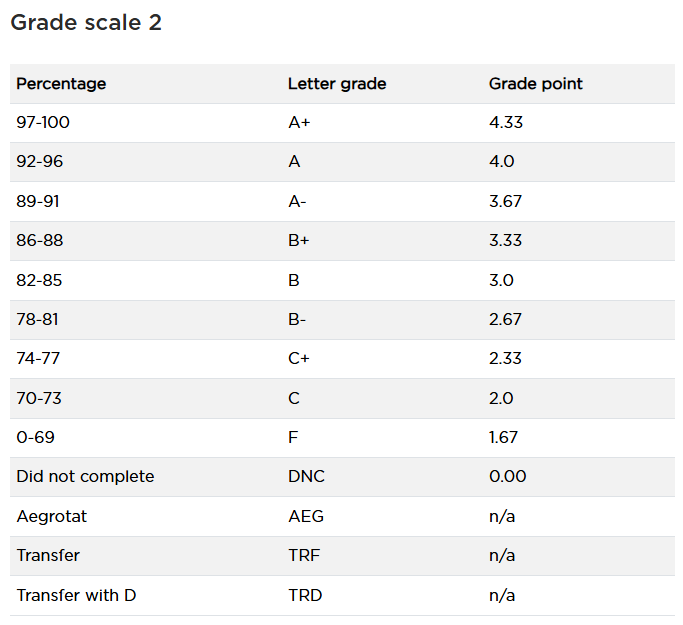
Grade schemes define how numeric scores are translated into letter grades or performance levels and are used to ensure consistent and transparent grading across a course. Most courses at NIC use NIC Grade Scale 1 or NIC Grade Scale 2; however, there are other grade schemes available.
Creating a New Custom Grade Scheme